Description
UNIFY OpenScape CP10 WLAN USB Stick for CP210/CP410/CP710
Would you like to operate your OpenScape desk phone flexibly without a network cable while using a stable connection tailored to your workplace? The UNIFY OpenScape CP10 WLAN USB Stick for CP210/CP410/CP710 is a practical solution for anyone who wants to integrate their phone into Wi-Fi quickly and neatly at a desk, in a home office or in changing office environments.
Ideal for companies, IT departments and professional users who value straightforward retrofitting and a tidy workplace setup.
Product benefits
- Enables WLAN connectivity on compatible OpenScape CP phones – without additional network cables at the workplace
- Optimised for use with CP210, CP410 and CP710 – a precise fit for your phone environment
- Supports flexible workplace concepts such as desk sharing, office moves or temporary workstations
- Quick integration into existing WLAN infrastructures – ideal where LAN ports are limited
- Reduces cable clutter and helps create a tidy, professional appearance on the desk
- Practical accessory for rollouts: makes standardisation easier in mixed office and home office setups
Description
The UNIFY OpenScape CP10 WLAN USB Stick for CP210/CP410/CP710 adds WLAN capability to compatible OpenScape CP desk phones, allowing them to connect to your network wirelessly. This is particularly useful when no LAN connection is available at the installation location, when network access is difficult to reach, or when you deliberately want to avoid additional cabling.
In everyday use, you benefit from greater freedom when positioning the phone: whether in a meeting room, at reception, in flexible work areas or in a home office – with the right WLAN accessory, the phone can be put into operation more quickly and repositioned just as easily when required. This makes the UNIFY OpenScape CP10 WLAN USB Stick for CP210/CP410/CP710 a useful addition to modern communication workstations.
Use & tips
- Have the WLAN access details ready before setup and check the network settings on the phone
- For corporate networks, clarify IT policies (e.g. WLAN authentication) in advance
- For best stability, place the phone where WLAN coverage is good
- After changes to the WLAN (SSID/password), update the connection on the phone
Notes
Please use the stick only with the intended, compatible OpenScape CP models (CP210/CP410/CP710). Setup is carried out via the phone configuration or the network management of your environment. Handle with care when inserting and removing the stick and observe the requirements of your IT security policies.
Order the UNIFY OpenScape CP10 WLAN USB Stick for CP210/CP410/CP710 now and connect your OpenScape CP phone to WLAN quickly, neatly and flexibly.
Reviews
There are no reviews yet.
Images

Produkt Vorderseite
Produkt Vorderseite
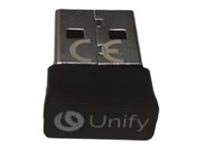
Produkt Vorderseite
Produkt Vorderseite

Manufacturer information
Mitel Deutschland GmbH
Zeughofstrasse
10997 Berlin , Deutschland
E-Mail: info@mitel.com
10997 Berlin , Deutschland
E-Mail: info@mitel.com
Similar items
More matching models
Similar products at a glance — compact and directly comparable.